Celery Route 模块解读。
最近在线上观察时发现了有任务的队列堆积了,当时判断是同事写的 Celery crontab 任务堆积了,当时他给我看了线上的配置,他说没有指定定时任务的队列,会造成堆积,但是这个配置在线上已经运行了好几个月了,如果原因是这个,那很早之前就暴露问题了,不过本人对 Celery 还停留在会使用的阶段,一些内部细节不是很了解,所以在周末抽了时间来一探究竟。
在对源码进行 grep 和 rdb(celery 的远程调试后),确定了能够解决的疑惑的位置在 Celery route 模块。
这里结合下面一段示例代码,对 Celery route 进行解读(使用 Celery 版本为 3.1.21)。
# -*- coding: utf8 -*-

from datetime import timedelta
from celery import Celery

app = Celery('hello', broker='redis://localhost:6379')
app.conf.CELERYBEAT_SCHEDULE = {
    "add-every-30-seconds": {
        "task": "celery_app.hello",
        "schedule": timedelta(seconds=30)
    }
}

app.conf.CELERY_ROUTES = {
    "celery_app.hello": {
        "queue": "test"
    }
}

app.conf.CELERY_TIMEZONE = "Asia/Shanghai"

@app.task
def hello():
    return 'hello world'
PS: 这里示例代码虽然是演示 Periodic,但是对于普通 Task 也一样。
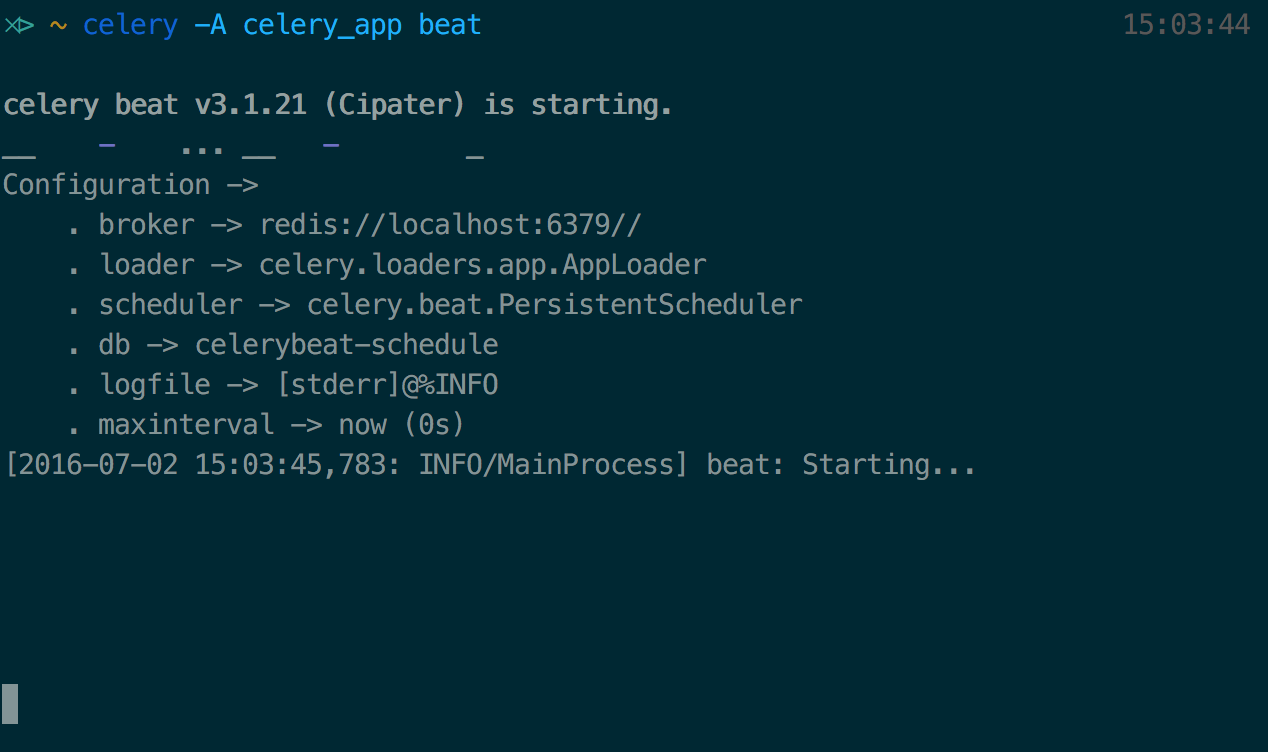
运行后截图:
- Celery beat
- Celery Periodic Task
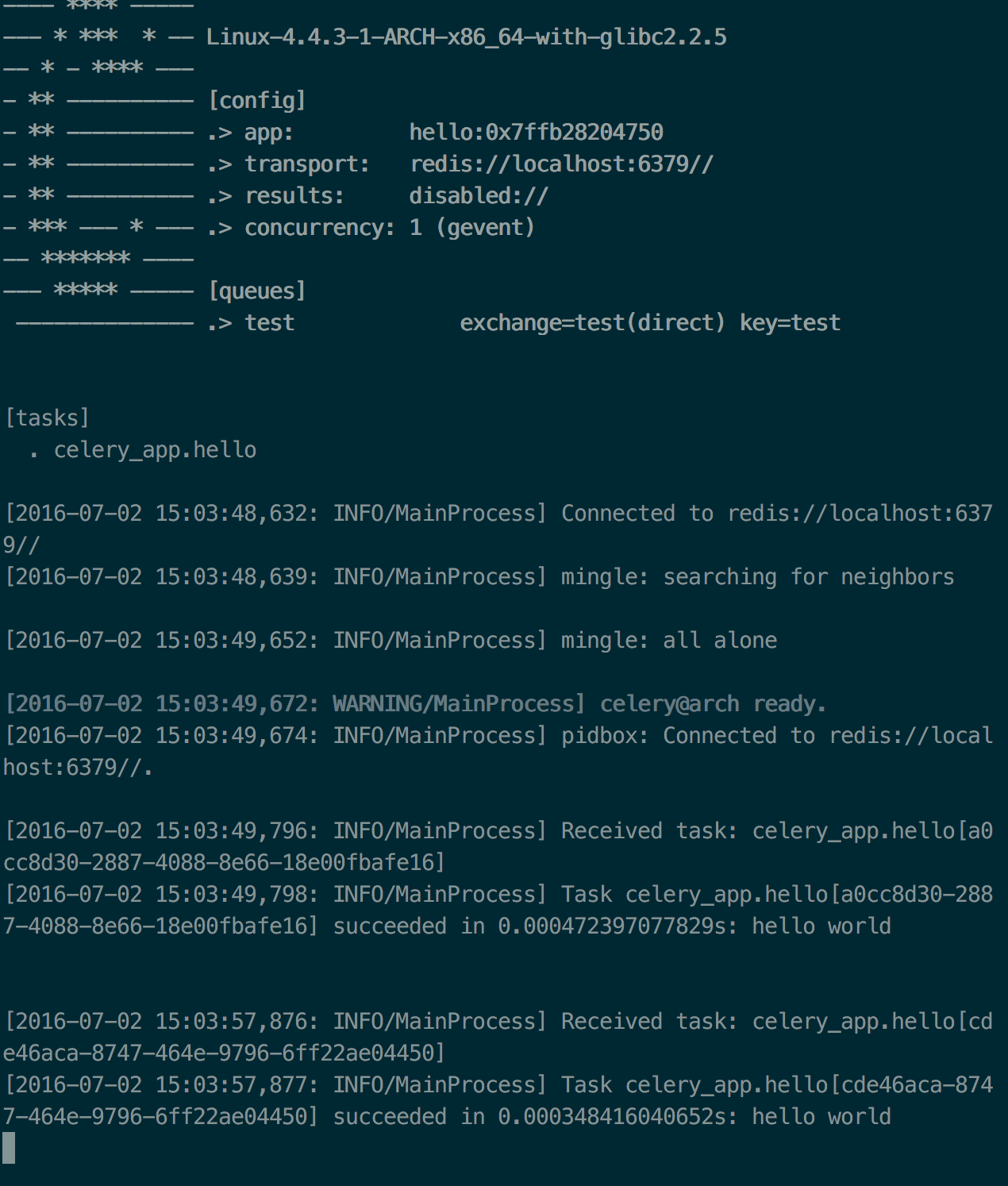
可以看到控制台中,task 会每隔 30s 运行一次,并返回 hello world。
那接下来,我们就开始讲解 Celery Route 吧。
在上面的代码中,有一段这样的配置代码:
app.conf.CELERY_ROUTES = {
    "celery_app.hello": {
        "queue": "test"
    }
}
上面的代码的意思是,在 celery_app 这个 Celery application 下,名为 hello 的任务,只消耗来自于队列 test 的任务。
Celery Beat
这里把 Celery Beat 的调用链抽象出来,大致的流程如下:
tick -> send scheduler -> send to task这里主要关注 send to task 这步,而这步主要使用 Celery 对象中定义的 send_task 方法。
def send_task(self, name, args=None, kwargs=None, countdown=None,
                  eta=None, task_id=None, producer=None, connection=None,
                  router=None, result_cls=None, expires=None,
                  publisher=None, link=None, link_error=None,
                  add_to_parent=True, group_id=None, retries=0, chord=None,
                  reply_to=None, time_limit=None, soft_time_limit=None,
                  root_id=None, parent_id=None, route_name=None,
                  shadow=None, chain=None, **options):
        """Send task by name.

        :param name: Name of task to call (e.g. `"tasks.add"`).
        :keyword result_cls: Specify custom result class. Default is
            using :meth:`AsyncResult`.

        Otherwise supports the same arguments as :meth:`@-Task.apply_async`.

        """
        parent = have_parent = None
        amqp = self.amqp
        task_id = task_id or uuid()
        producer = producer or publisher  # XXX compat
        router = router or amqp.router
        conf = self.conf
        if conf.task_always_eager:  # pragma: no cover
            warnings.warn(AlwaysEagerIgnored(
                'task_always_eager has no effect on send_task',
            ), stacklevel=2)
        options = router.route(options, route_name or name, args, kwargs)

        if root_id is None:
            parent, have_parent = self.current_worker_task, True
            if parent:
                root_id = parent.request.root_id or parent.request.id
        if parent_id is None:
            if not have_parent:
                parent, have_parent = self.current_worker_task, True
            if parent:
                parent_id = parent.request.id

        message = amqp.create_task_message(
            task_id, name, args, kwargs, countdown, eta, group_id,
            expires, retries, chord,
            maybe_list(link), maybe_list(link_error),
            reply_to or self.oid, time_limit, soft_time_limit,
            self.conf.task_send_sent_event,
            root_id, parent_id, shadow, chain,
        )

        if connection:
            producer = amqp.Producer(connection)
        with self.producer_or_acquire(producer) as P:
            self.backend.on_task_call(P, task_id)
            amqp.send_task_message(P, name, message, **options)
        result = (result_cls or self.AsyncResult)(task_id)
        if add_to_parent:
            if not have_parent:
                parent, have_parent = self.current_worker_task, True
            if parent:
                parent.add_trail(result)
        return result
上面和 route 相关的代码有:
- 获取 route: router = router or amqp.router
- 获取 route options: options = router.route(options, route_name or name, args, kwargs)
Router
一般情况下,这里的 router 就是 amqp.router。而 amqp.router,则是 celery.app.routes.Router 的实例化对象。接下来我们看创建该实例化对象都做了什么,代码如下:
def Router(self, queues=None, create_missing=None):
    """Return the current task router."""
    return _routes.Router(self.routes, queues or self.queues,
                          self.app.either('CELERY_CREATE_MISSING_QUEUEES',
                                          create_missing), app=self.app)
这里有四个初始化参数,主要着重以下 3 个:
- self.routes
其是一个描述符,里面存储的是路由表信息,这些路由表的信息使用以下代码获取:
def flush_routes(self):
    self._rtable = _routes.prepare(self.app.conf.CELERY_ROUTES)
其中 _routes 是 celery.app.routes 模块,而路由表的信息,则有 CELERY_ROUTES 提供,其中 prepare 方法定义如下:
def prepare(routes):
    """Expands the :setting:`CELERY_ROUTES` setting."""
    def expand_route(route):
        if isinstance(route, dict):
            return MapRoute(route)
        if isinstance(route, string_t):
            return mlazy(instantiate, route)
        return route

    if routes is None:
        return ()
    if not isinstance(routes, (list, tuple)):
        routes = (routes, )
    return [expand_route(route) for route in routes]
这里主要是预先生成好,route 表的类型,由 MapRoute (包括了 Dict,且是默认路由类型),其它都是自定义的路由类型,上面的例子所使用的便是 MapRoute 类型的路由表。
- queues or self.queues
这里 queues 没有特别指明,都是默认的 celery.amqp.Queues 的实例化对象,其中 Queues 继承于 dict:
@cached_property
def queues(self):
    """Queue name⇒ declaration mapping."""
    return self.Queues(self.app.conf.CELERY_QUEUES)
在没有指定 CELERY_QUEUES 时,默认会创建一个名为 celery 默认队列:
if not queues and conf.CELERY_DEFAULT_QUEUE:
    queues = (Queue(conf.CELERY_DEFAULT_QUEUE,
                    exchange=self.default_exchange,
routing_key=conf.CELERY_DEFAULT_ROUTING_KEY), )- create_missing
这个属性很重要,特别是在生产环境中,当 Celery 发现 task 需要的队列不存在会自行创建相应的队列。
def __missing__(self, name):
    if self.create_missing:
        return self.add(self.new_missing(name))
    raise KeyError(name)
由于 Queues 是继承于 dict,这里 override 了 magic method __missing__,这样就可以在 self.create_missing 开启时,自行创建不存在的队列。
Router Options
options = router.route(options, route_name or name, args, kwargs)options 是通过 router.route 进行获取的,其详细代码如下:
def route(self, options, task, args=(), kwargs={}):
    options = self.expand_destination(options)  # expands 'queue'
    if self.routes:
        route = self.lookup_route(task, args, kwargs)
        if route:  # expands 'queue' in route.
            return lpmerge(self.expand_destination(route), options)
    if 'queue' not in options:
        options = lpmerge(self.expand_destination(
                          self.app.conf.CELERY_DEFAULT_QUEUE), options)
    return options
这里先讲解以上代码的含义,对 lookup_route 和 expand_destination 放在后面。上面的含义是首先从 expand_destination 中获取扩展的选项。接着检查是否由路由信息,如果有,则查找该路由信息是否含有 task 对应的路由信息,如果有,则将对得到的路由信息 route 扩展之后,与 options 合并之后返回;如果 routes 不存在,并且 options 没有队列的信息,则使用默认的队列 celery,并与原 options 合并之后返回。
其中使用到的 lookup_route 和 expand_destination 代码如下:
- lookup_route
def lookup_route(self, task, args=None, kwargs=None):
    return _first_route(self.routes, task, args, kwargs)
用于查询路由表信息,这里的 _first_route 方法定义如下:
_first_route = firstmethod('route_for_task')而 firstmethod 的定义如下:
def firstmethod(method):
    """Return a function that with a list of instances,
    finds the first instance that gives a value for the given method.

    The list can also contain lazy instances
    (:class:`~kombu.utils.functional.lazy`.)

    """

    def _matcher(it, *args, **kwargs):
        for obj in it:
            try:
                answer = getattr(maybe_evaluate(obj), method)(*args, **kwargs)
            except AttributeError:
                pass
            else:
                if answer is not None:
                    return answer

return _matcher这两段代码的含义时,_first_route 使用 route 定义的方法 route_for_task 在 self.routes 路由表中是否存在 task 对应的路由信息,如果有则返回,否则返回 None。
- expand_destination
def expand_destination(self, route):
    # Route can be a queue name: convenient for direct exchanges.
    if isinstance(route, string_t):
        queue, route = route, {}
    else:
        # can use defaults from configured queue, but override specific
        # things (like the routing_key): great for topic exchanges.
        queue = route.pop('queue', None)

    if queue:
        try:
            Q = self.queues[queue]  # noqa
        except KeyError:
            raise QueueNotFound(
                'Queue {0!r} missing from CELERY_QUEUES'.format(queue))
        # needs to be declared by publisher
        route['queue'] = Q
    return route
该方法的主要作用是检查 self.queues 是否存在 queue 对应的队列:
self.queues[queue]如果 create_missing = True 这里会创建 missing 的队列,返回的 Q 是 kombu.Queue 的实例化对象。
如果 task 指定了队列 queue,这里会修改路由表里面的 queue 会 Q 后返回。
以上便是 Celery 中 Route 的解读。通过对源码的解读,验证了当时自己的判断是正确的堆积的并不是因为 Periodic task 的配置没有写 queue 信息。
目前,我司线上的 Route 的配置就像我上面使用 dict configuration 方式进行的,而 celery 官方并不推荐,相反推荐的是这样的方式:
# -*- coding: utf8 -*-

from datetime import timedelta
from celery import Celery

app = Celery('hello', broker='redis://localhost:6379')
app.conf.CELERYBEAT_SCHEDULE = {
    "add-every-30-seconds": {
        "task": "celery_app.hello",
        "schedule": timedelta(seconds=30)
    }
}

app.conf.CELERY_TIMEZONE = "Asia/Shanghai"

@app.task(queue=test)
def hello():
    return 'hello world'
这样做是利用到了 CELERY_CREATE_MISSING_QUEUES (默认为 True),自动创建不存在队列的,这样可以避免写太多冗余的配置的情况。