All posts
使用 documentation.js 生成 JS API 文档
[documentation.js]( https://github.com/documentationjs/documentation),一款生成 JS API doc 的工具.可以说是安装使用都很方便,生成的文档也漂亮简洁. 安装 使用 下面有一段用于测试的 JS 代码 将上面的文件保存为 foo.js ,然后执行下面的命令: -o:指定输出内容的文件/文件夹 -f:指定了输出内容的格式,这里设置为 html ,document
[documentation.js](https://github.com/documentationjs/documentation),一款生成 JS API doc 的工具.可以说是安装使用都很方便,生成的文档也漂亮简洁.
- 安装
npm install -g documentation- 使用
下面有一段用于测试的 JS 代码
/**
 * Add x, y.
 * @param {number} x any number
 * @param {number} y any number
 * @return {number} the sum of x and y.
 */
function addClass(x, y) {
    return input + 1;
}

/**
 * Echo
 * @param {string} str any string
 * @return {string} the origin string.
 */
const echo = (str) => {
    return str;
}
将上面的文件保存为 foo.js,然后执行下面的命令:
documentation foo.js -o test -f html- -o:指定输出内容的文件/文件夹
- -f:指定了输出内容的格式,这里设置为
html,documentation 默认的输出格式是json,还可以输出md格式
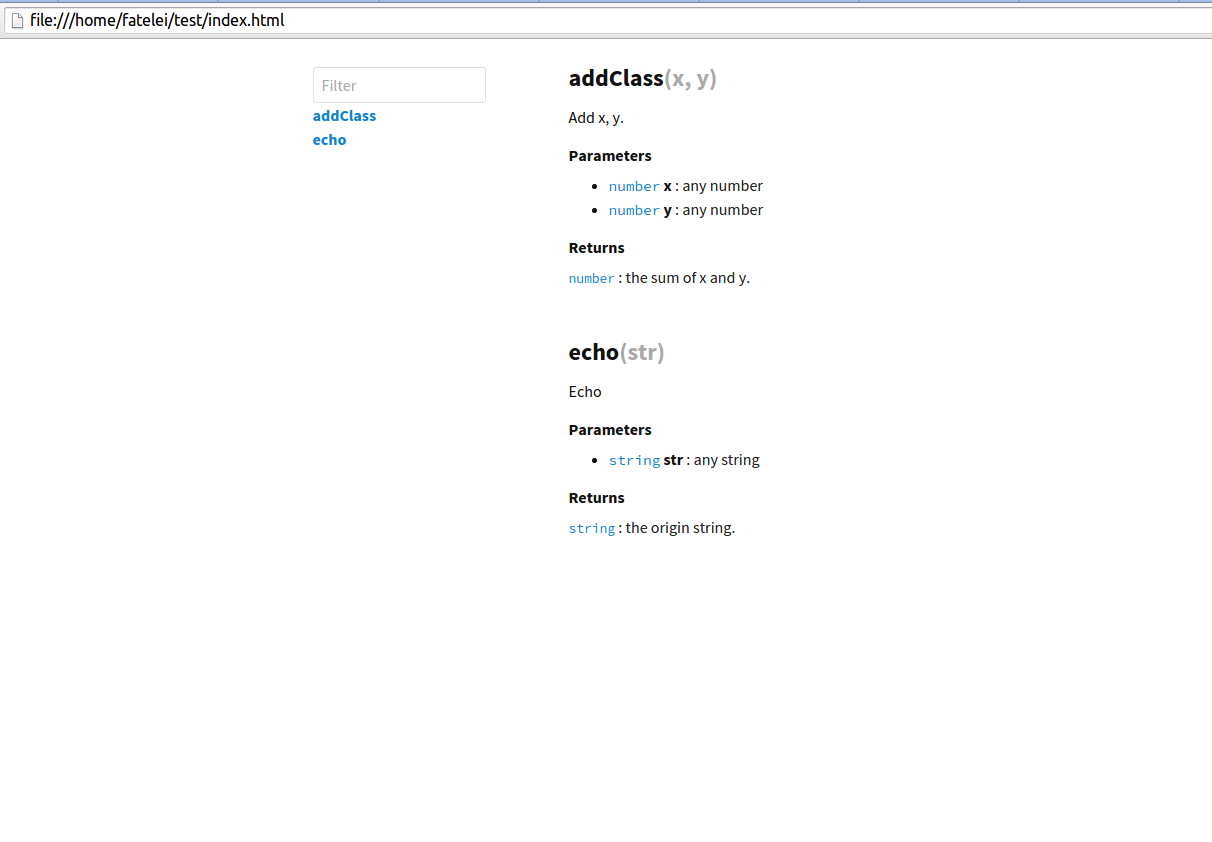
实际预览效果如下图:
documentation.js 可玩的东西还比较多,比如扩展主题等,今天就先介绍这么多了.